THE BACKDROP LAUNCHER USER GUIDE
Your TV.
Your way.
A cinematic home for Android TV. Give your apps a place, your artwork room to breathe, and your next episode a way back.
Open source · Made for the remote · Yours to arrange
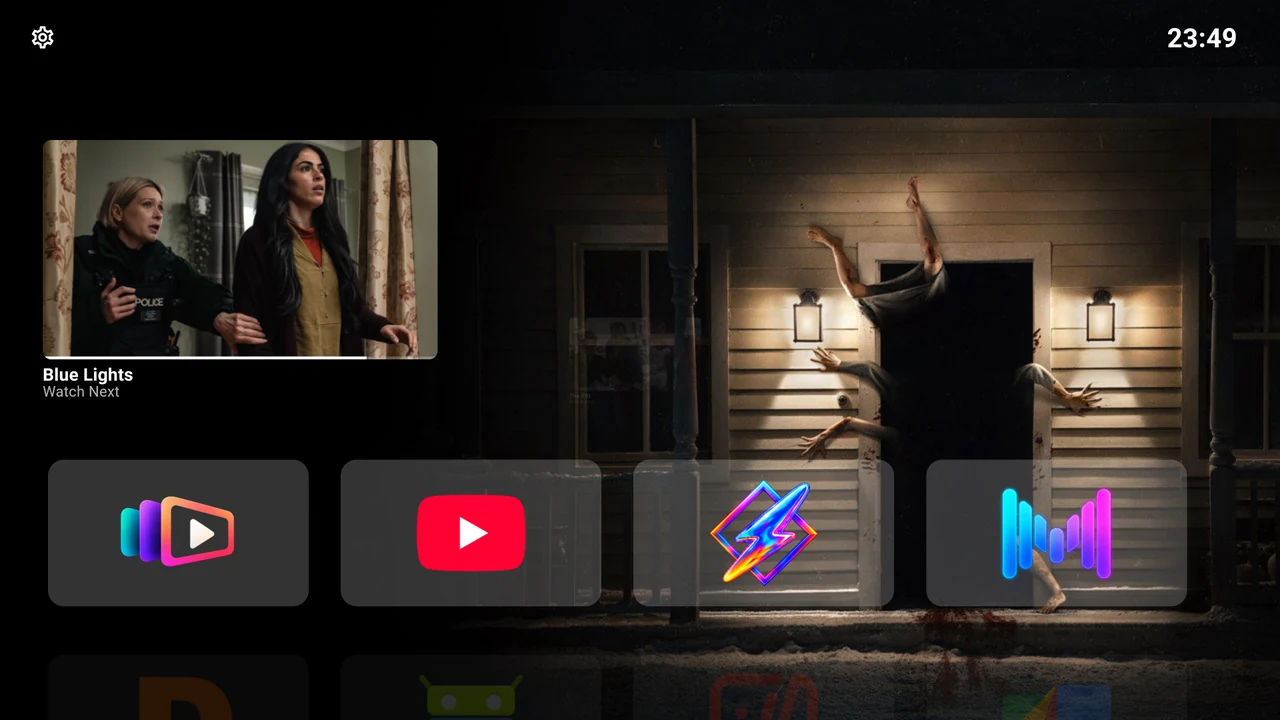
Your apps in the foreground. Cinema in the background.
Make yourself at home
-
Start with your remote
Install the app, find Settings and learn the few gestures that control everything.
-
Your apps. Your rows.
Create rows for the way you watch, move apps into place and keep unwanted cards out of Home.
-
Pick up where you left off
Browse Continue Watching from compatible TV apps and open a programme in its original app.
-
Give your screen a fresh scene
Enjoy the included cinematic backdrops or connect Trakt to choose catalogs and public lists.
-
Make it your colour
Choose an accent, adjust card backgrounds and decide how much information Home shows.
-
A quieter screen between shows
Choose a clock style, set up Android’s screensaver and decide what Back does on Home.
A home screen, shaped around you
Backdrop Launcher opens your installed apps. Continue Watching depends on the apps that publish items to Android TV, and Trakt supplies backdrop discovery. Your streaming apps and subscriptions remain where you already use them.