Settings reference
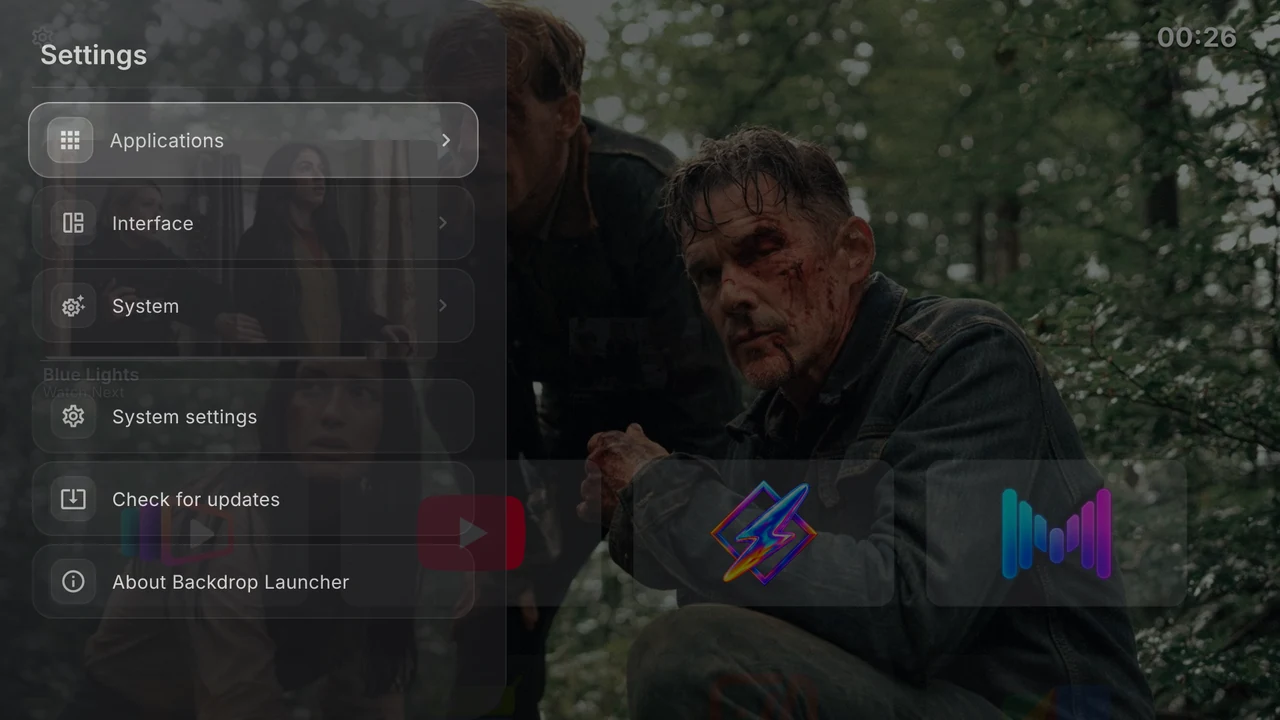
Open Settings by moving Up to the gear on Home and pressing Select. Options save as you change them. This page lists the current English controls; saved preferences on your TV may differ from new-install defaults.
Applications
| Control | Choices or action |
|---|---|
| Existing row | Select to move; Right / hold Select to edit. |
| Add row | Name and create a row. |
| Installed apps | View TV and Android apps, including hidden apps. Open an app for its details. |
In the row editor:
| Control | Choices or action |
|---|---|
| Row name | Rename, Save or Cancel. |
| App order | Manual, Alphabetical, Last used. New row: Manual. |
| Row size | 82, 110, 140. New row: 110. Actual card height is constrained by the layout. |
| Show on home screen | Show/hide the row. New row: on. Empty rows stay absent from Home. |
| Delete row | Delete immediately, without confirmation. Apps stay installed. |
| TV apps / Android apps | Check membership in this row. |
See Rows and Apps and artwork for the corresponding tasks and the Home app action menu.
Interface → Watch Next
| Control | Choices or action |
|---|---|
| Show Watch Next Section | Enable Continue Watching. Default: off. Other controls appear while enabled. |
| Immersive mode | Use selected programme artwork as the Home background. Default: off. |
| Hide programs without image | Exclude items without artwork. Default: off. |
| Maximum programs | Unlimited, 5, 10, 15, 20, 25, 30, 50. Default: Unlimited, within the 50-item feed cap. |
| Refresh content | Reload programme data and retry artwork. |
| Filter apps | Per-app switch; on allows, off excludes. |
| Show all installed apps | Expand filters to every installed app. Choose Filter apps to return. |
TV-listings access is required. Continue Watching explains compatibility and the permission prompt.
Interface → Wallpaper (Backdrops)
| Control | Choices or action |
|---|---|
| Next backdrop | Advance included artwork or fetch another from enabled Trakt sources. Disabled while loading. |
| Change backdrop every | Cycle 5, 10, 30, 60 minutes. Default: 10. |
| Connect Trakt / Trakt connected | Connect using the device-login flow; show connection status. Unavailable if the build lacks configuration. |
| Use Trakt backdrops | Switch between online sources and included artwork. Available when connected. |
| Catalogs & lists | Choose anticipated/trending movies and shows; fetch and select popular public lists. |
| Disconnect Trakt | Disconnect immediately, without confirmation. Appears when connected. |
See Backdrops and Trakt.
Interface → Status bar
| Switch | New-install default |
|---|---|
| Automatically hide status bar | Off |
| Date | Off |
| Time | On |
| Network Indicator | On |
Selecting the network indicator opens Android’s network settings. See Status bar and date formats.
Interface → Accent Color
Purple, Teal, Blue, Orange, Pink, Green, White, Yellow, Red, Cyan, Indigo, Lime, Amber, Rose, Ice Blue. Press Select to save a swatch. A check mark identifies it. The new-install default is White; an existing selection is preserved.
Interface → Appearance
| Control | Choices or action |
|---|---|
| Focus border thickness | Subtle 1.0 dp, Default 1.5 dp, Medium 2.0 dp, Bold 3.0 dp. Default: 1.5 dp. |
| App icon background | 0–100%, Left/Right in 10% steps. Default: 10%. |
Interface → Miscellaneous
| Control | New-install default |
|---|---|
| App card highlight animation | Off; requires focus borders |
| Click sound on key press | On |
| Show category titles | Off |
| Show App Names Below Icons | Off |
| Show focus borders | On |
| Watch Next | Shortcut to the same Watch Next settings |
Turning off focus borders also disables highlight animation. See Colours, cards and labels.
System
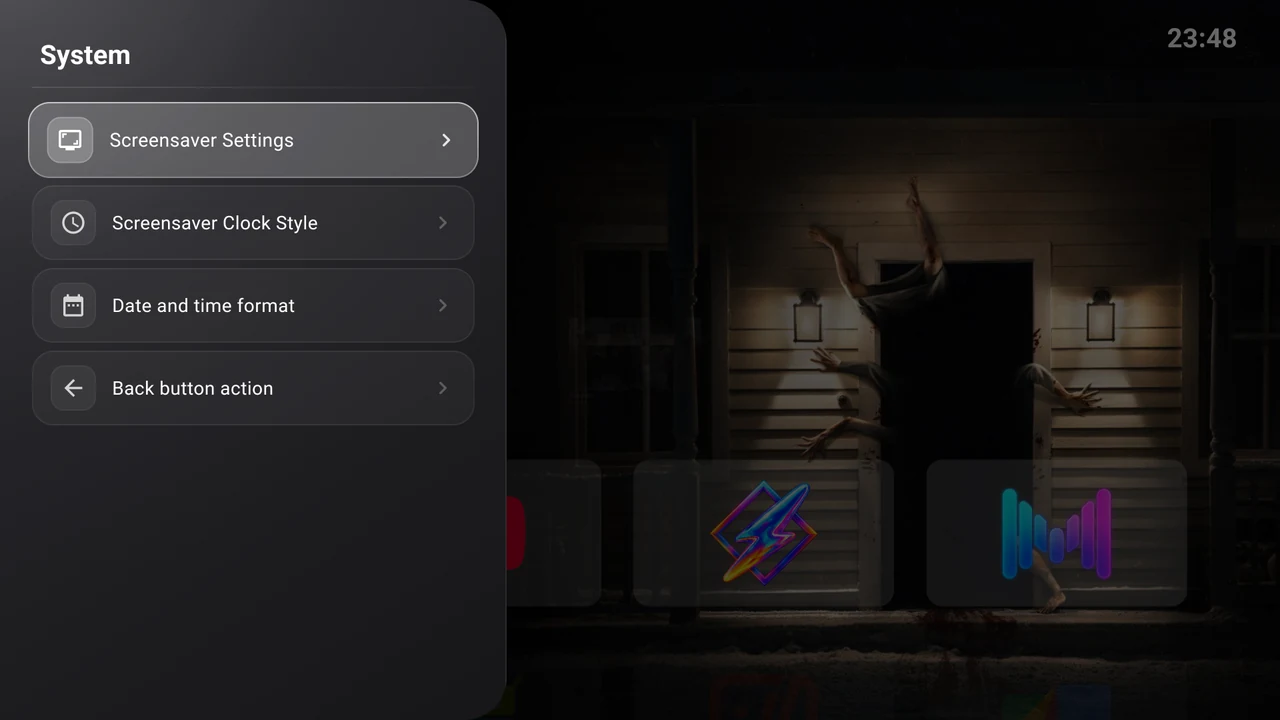
| Control | Choices or action |
|---|---|
| Screensaver Settings | Open Android’s device-specific screensaver settings. |
| Screensaver Clock Style | Minimal, Bold, Retro, Elegant, Neon, Pixel, Digital. Default: Minimal. |
| Date and time format | Six date presets and five time presets, with a preview. Defaults: full weekday and day (EEEE d), 24-hour time (H:mm). |
| Back button action | Do nothing, Show clock, Show screensaver. Default: Do nothing. Home behaviour requires Android’s effective default launcher. |
See Date formats and Clock, screensaver and Back.
Main Settings shortcuts
| Control | Action |
|---|---|
| System settings | Open Android’s general device settings. |
| Check for updates | Check published GitHub releases. Present only in builds with the self-updater enabled. |
| About Backdrop Launcher | View the installed version/build, project credits and View licenses. |
Updates explains update results. Credits and licences links the project and font licences.